4.1 Building the VSB
This section explains how to build a VxWorks Source Build (VSB), which is required in order to build your own kernels and applications with VxWorks 7.
The following steps use the VSB defaults. For further information and special customizations, please refer to Wind River’s documentation:
https://docs.windriver.com/bundle/Configuration_and_Build_Guide_Edition_9_1/page/1597954.html
Before you start, you should be familiar with your hardware, as you will need to select a BSP and other hardware-specific settings. This document uses an Intel BSP as an example.
- Launch Workbench and select File, New, Wind River Workbench Project.
- For the Build type, select VxWorks Source Build.
- Set your project name and click Next.
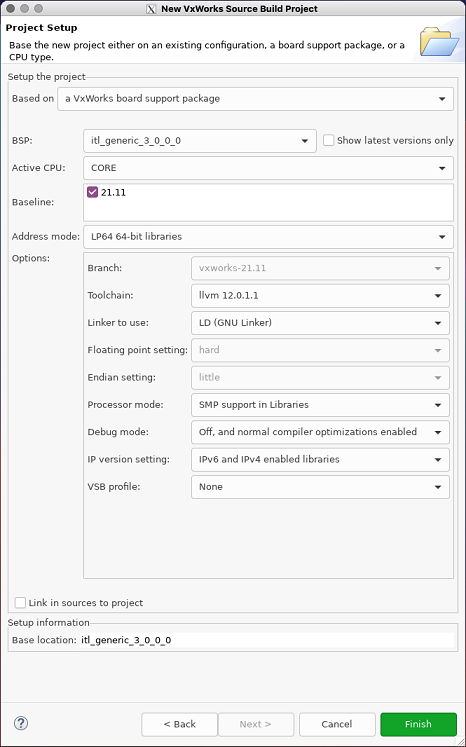
- Configure your VSB. Set your BSP, the CPU, addressing mode, compiler, SMP, etc., according to your platform. When you are done, click Finish.
- After you finish, build the VSB as you would any other project.