5.7.6 Pre-Shared Key Protection
This example demonstrates how to use Pre-Shared Key (PSK) Protection to apply entry-level security. The Pre-Shared Key secures all the traffic from the start-up of a DDS Entity and restricts the communication only to Entities holding the correct pre-shared key seed. For more information, see Pre-Shared Key Protection in the RTI Security Plugins User's Manual.
In this example, you will start three instances of Shapes Demo; be sure to run each instance using the same domain.
- Start an instance of Shapes Demo using the Security::LightweightSecurity profile. We'll call this instance Publisher1.
- Open a new instance of Shapes Demo using any domain.
- Go to Controls > Configuration, then select Stop.
- In Choose the profile, select Security::LightweightSecurity, then click Start.
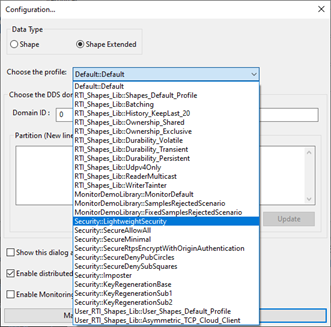
See 4.3.5 Applying QoS from a Profile for additional information about starting Shapes Demo using a specific QoS profile.
- In Publisher1, publish a blue square.
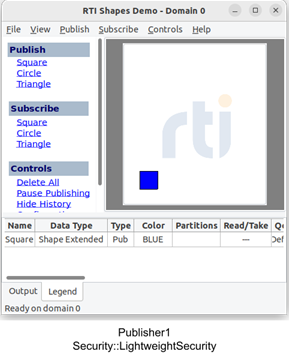
- Start a second instance of Shapes Demo using the same profile, Security::LightweightSecurity. We'll call this instance Subscriber1.
Tip: To start another instance of Shapes Demo, select File > New Shapes Demo. - In Subscriber1, subscribe to squares.
The blue square published by Publisher1 is displayed in Subscriber1.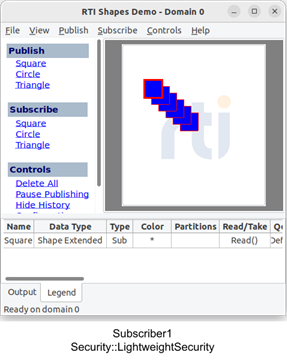
- Start a third instance of Shapes Demo; do not apply a QoS profile. We'll call this instance Subscriber2.
- In Subscriber2, subscribe to squares.
The blue square published by Publisher1 does not appear in Suscriber2. That's because Publisher1 is configured to use Pre-Shared Key Protection, but Susbscriber2 is not.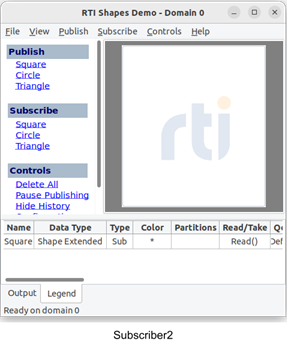
To further understand why Subscriber2 is not receiving data from Publisher1, let's check a snippet of the Security::LightweightSecurity profile.
<property>
<value>
<element>
<name>dds.sec.crypto.rtps_psk_secret_passphrase</name><value>str:1:dW5kZXIgY2hlc3Qgcm91bmQgZ2FpbiByZWxpZWYgbGlmdCBkZW55IGJpbmQdG9nZXRoZXIgYXdlc29ZSBtaXh0dXJlIGV0ZXJuYWwga GFyZCBiYW5uZXIgdXJiYW4=</value>
</element>
</value>
</property>
The dds.sec.crypto.rtps_psk_secret_passphrase property sets the value of the pre-shared key seed and enables Pre-Shared Key Protection. In the above example, this property is not included in Subscriber2 because we did not apply the Security::LightweightSecurity profile in that instance.