1. Introduction
This document describes Wireshark® features that are useful when debugging RTI® Connext® systems.
Wireshark® is a network-packet analyzer that supports many network protocols, including Real-Time Publish-Subscribe (RTPS), the wire protocol used by RTI Connext.
Wireshark can be used to capture and analyze RTPS packets from Connext applications. The RTPS dissector included with Wireshark supports:
Dissection of RTPS protocol messages, including discovery, data, and heartbeat submessages.
Support for dissecting RTI TCP messages. This includes RTI TCP Control messages as well as RTPS over RTI TCP.
Network packet and traffic analyzers are used during application development and distributed system configuration to monitor packets sent over the network. You can use filters to capture specific types of packets, then analyze the captured packets.
This document will help you use Wireshark to analyze RTPS packets. This analysis will give you information on two levels:
A high-level look at the RTPS submessages that are flowing between your Connext applications.
A detailed look at the contents of individual packets.
Wireshark’s main window makes it easy to see both views.
1.1. Available Documentation
RTI Connext Documentation: Provides details on the Connext API and describes how RTPS packets are used by Connext applications. In particular, review the Discovery Overview chapter of the Core Libraries User’s Manual. This documentation is included with your Connext installation at <NDDSHOME>/doc/manuals/connext_dds_professional/users_manual/users_manual.
RTPS Specification: https://www.omg.org/spec/DDSI-RTPS
XTypes Specification: https://www.omg.org/spec/DDS-XTypes
DDS Security Specification: https://www.omg.org/spec/DDS-SECURITY
Wireshark Release Notes: https://www.wireshark.org/docs/relnotes
Wireshark online help. There is extensive online help included with Wireshark. Select Help, Contents from the menu bar for a detailed user’s guide in HTML format.
Wireshark Documentation: https://www.wireshark.org/docs
1.2. How to Get Support
RTI provides Wireshark technical support for RTI customers; email support@rti.com.
Wireshark is an open source product. For information about Wireshark support, please visit https://www.wireshark.org/.
1.3. Installing Wireshark
Several versions of Wireshark are available for download.
Stable version: https://www.wireshark.org
Development version: https://www.wireshark.org/download/automated
Improvements and fixes included by the developers are available in the development version; however it might be safer to use the Stable Release. Stable releases have even-numbered minor versions (e.g., 4.4, 4.6, etc.) and development releases have odd-numbered minor versions (e.g., 4.7).
Support for TypeObject v2 and the TypeLookup Service may not be in the Stable Release, see the note in TypeObject v2 and TypeLookup Service (Section 3).
1.4. Running Wireshark from RTI Launcher
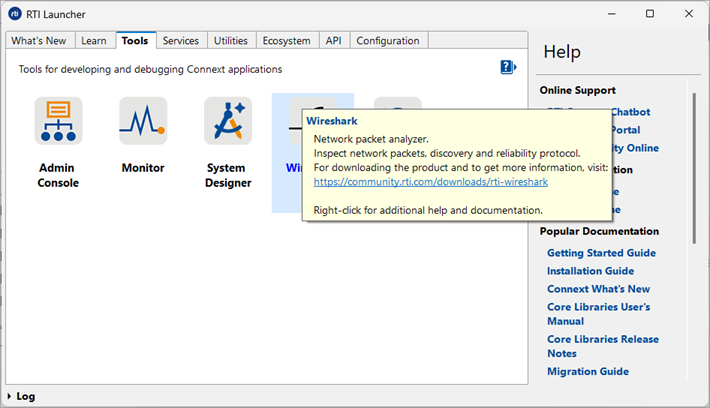
Once installed, Wireshark is integrated with RTI Launcher and you can start it from the Tools tab.