5.5. Interactions with RTI Tools
Topic and type aliasing changes the wire representation of the topic and
type. A topic may be created with the topic name Foo and type ros::String,
but when the endpoint data is serialized on the wire, it is sent as
topic rt/Foo and type ros::dds_::String_.
For example, a Wireshark capture of endpoint discovery for a writer on
topic testTopic that has both dds.ros.enable_interoperabilty and
dds.ros.use_mangled_names_as_default set to TRUE would appear as
follows:

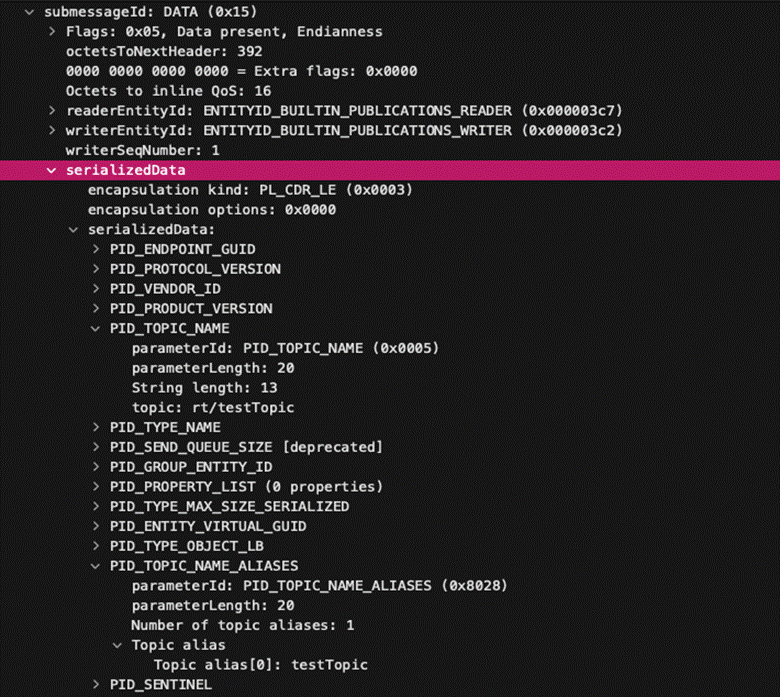
You can see that, although the endpoint is created with topic
testTopic, the topic name propagated on the wire (PID_TOPIC_NAME) is
rt/testTopic, and testTopic appears under PID_TOPIC_NAME_ALIASES.
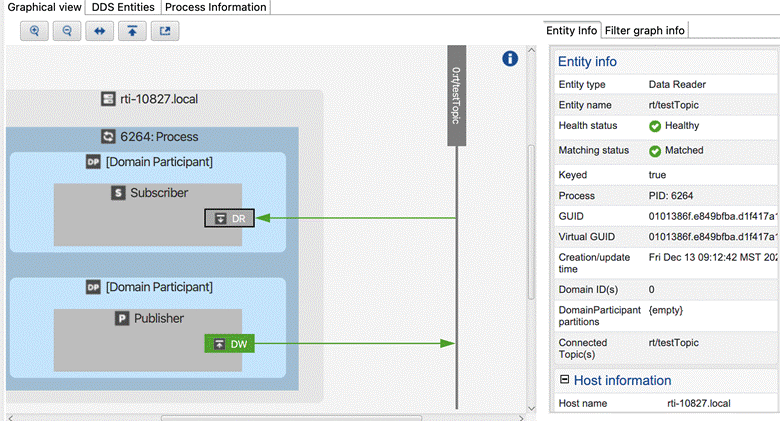
RTI Tools have not been updated to account for topic and type aliases,
and will only show the “primary” topic and type names. The endpoint in
this example will appear in the rt/testTopic topic. For example, here
is how the endpoint appears in RTI Admin Console:
Similarly, RTI DDS Spy will only print the primary topic and type name in its output and has not been updated to print topic or type aliases.
The value of dds.ros.use_mangled_names_as_default determines which
topic name is announced as the “primary” topic name. When this
property is set to FALSE, the endpoint will appear as follows:
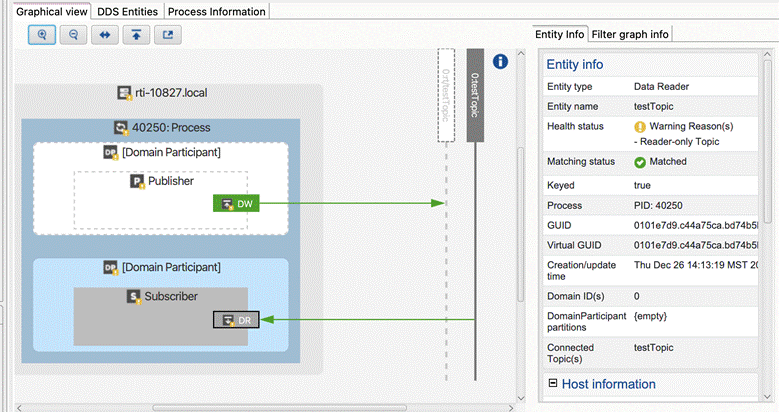
Note the two vertically-oriented grey boxes in the Graphical View: one
endpoint is now shown under rt/testTopic and one is shown under
testTopic. Admin Console’s “Health Status” indicates that
testTopic is a reader-only (DR) topic and rt/testTopic is a
writer-only (DW) topic, showing that these are different topics and not
matched; however, in reality they are matched. (This is a current
limitation of using Admin Console with topic aliasing, and may be
addressed in future versions of Connext.)