2.4.9.4. Health View
2.4.9.4.1. Overview
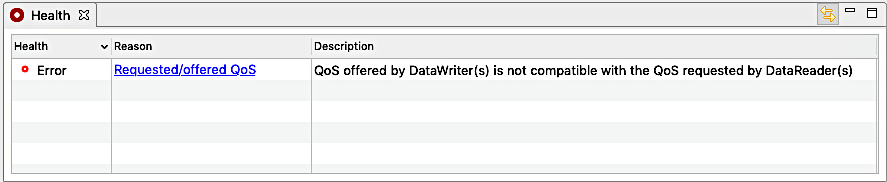
The health view presents a table of the reasons for the health state of the selected system entity. Each row in the table is for a different reason. The view’s icon will change to represent the overall state.
Health - This is the health state for the row’s reason.
Reason - This is the title of the health reason. Clicking on this cell will open a view with more details.
Description - A detailed description of the health reason.
2.4.9.4.2. Toolbar
Link with selection - Toggling the
 button will
link/unlink this view to/from displaying information about the
current selection. One way to use this feature is to select
something and then unlink this view from the selection. Then a
new instance of this view can be created and populated with a
new selection. Then you can compare data between the first and
second selection.
button will
link/unlink this view to/from displaying information about the
current selection. One way to use this feature is to select
something and then unlink this view from the selection. Then a
new instance of this view can be created and populated with a
new selection. Then you can compare data between the first and
second selection.